
Warwick Band Society
BandSoc is a society for music lovers and bands. Whatever your preferred genre, we have the widest variety of bands and people as one of the university's largest and most active societies. Whether you're already making music or looking to get started, there will always be someone to jam with. We embrace all genres of music, whether it's folk or funk, rock or punk, jazz, blues, metal, Latin, whatever, and all levels of experience. Come and make some music!
Want to learn more about the society and the history? Check out our Bandsoc Wiki:
Bandsoc WikiMeet the exec
The wonderful Bandsoc is ran by and even more wonderful team - the exec! To find out more about all of us and what we do, check out the Meet the Exec page!
Meet the ExecHow to book the practice room
This is a simple booking system for reserving 2-hour room slots. The week runs Monday to Sunday, with six bookable slots a day between 10am and 10pm.
Using Tokens and Cancellations
Each account has a balance of tokens — booking a slot uses one token, and cancelling a booking gives it back. All bookings can be cancelled up the day before the booked date, but if you book one day in advanced or wait to refund, we will not be able to refund your token.
Creating an Account
The first step to booking is creating an account. You can do this by clicking the "Log in" button in the top right corner of the page, then clicking Register. Please make sure you use your Warwick email address to register, as this is required to verify your account. Also, make sure you put in the correct Warwick ID number, as this is used to verify your account and is also used to add the tokens to the account. An incorrect ID means no tokens will be added to your account, and you will not be able to book a slot. (This can be changed afterwards, but to avoid any issues, please make sure you put in the correct ID number when registering.)
Buying Tokens
To buy a token please go to the Warwick SU Shop.
This should take you to a page that looks like this: 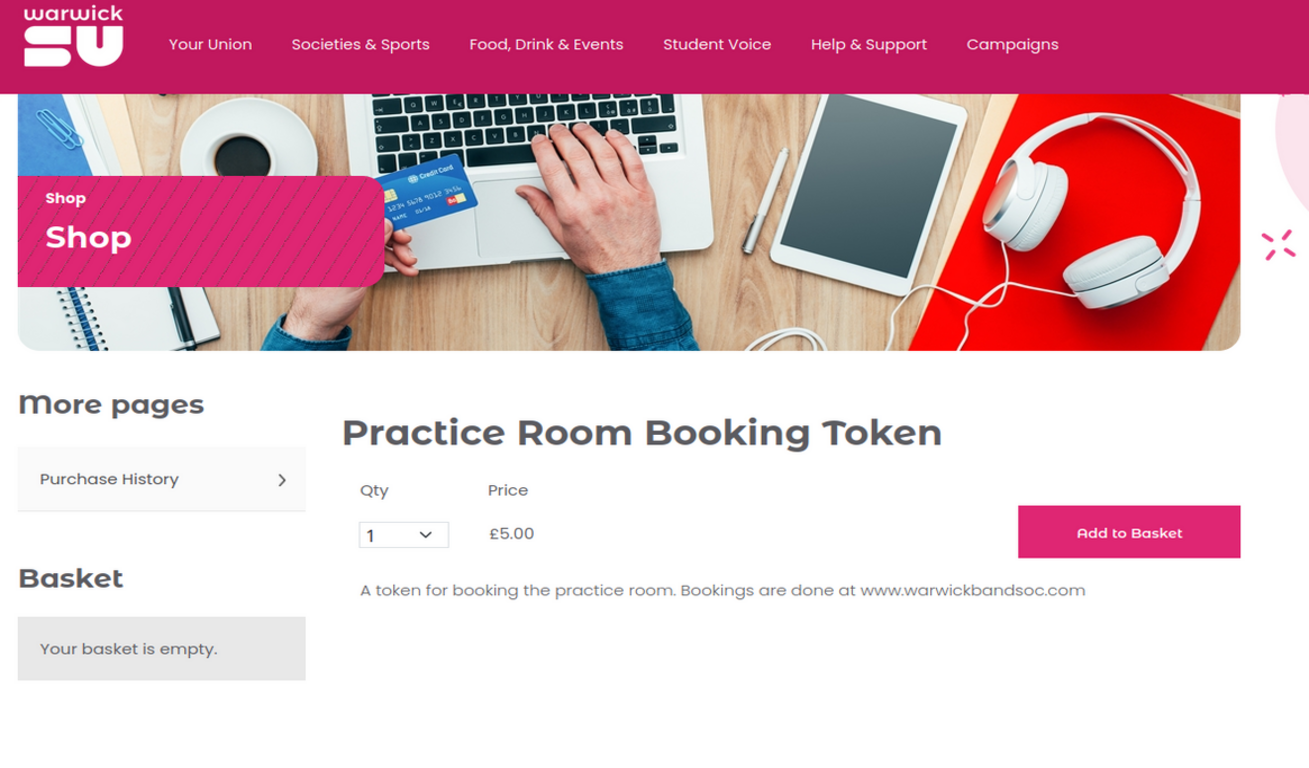 (or it may ask you to log in first before being able to add to basket)
Then add to basket and checkout. Once this is done, come back to this website and go to the Bookings page. You should see a button that says "Update Tokens". Click this and it will (hopefully) add the tokens to your account. This can take a few minutes, as both the SU systems and this website need to sync, so please be patient. If this doesn't work initially, wait 10 minutes and try again. If it still doesn't work, please email the webmaster: [email protected]
Issues
If there are any issues please email the webmaster: [email protected]